

Description
Dynamic Tags for Elementor is the ultimate dynamic content toolkit. It enables 100+ custom dynamic tags in Elementor Free, organized into purpose-built groups. When upgraded to Pro, it unlocks 177+ additional premium tags across Post Pro, Media Pro, Author Pro, Site Pro, WooCommerce Pro, EasyCommerce Pro, ACF Pro, and SCF Pro.
Our advanced caching system with request-scoped memoization for repeated field lookups and product queries, and transient-based admin caching with smart invalidation, delivers faster page rendering and reduced database queries.
Features
- Post & Archive — Post title, date, content, categories, comments, excerpt, terms, parent, archive titles, and descriptions.
- Site & Media — Site title, URL, tagline, logo, icon, featured images, and galleries.
- Author & User — Author details, bio, profile pictures, user roles, capabilities, and profile metrics.
- Actions & Comments — Dynamic links for lightboxes, off-canvas, reload, and comment forms.
- WooCommerce — Product price, SKU, stock status, categories, and reviews.
- EasyCommerce Pro — 28 new dynamic tags covering products, categories, brands, downloads, cart, and store metrics.
- ACF & SCF Parity — 13 custom field tags supporting repeaters, galleries, relationships, date-time, maps, and option pages.
- Pro Version (Upgrade) — Unlocks 177+ premium tags including WooCommerce Pro (34 tags), EasyCommerce Pro (28 tags), ACF Pro (34 tags), SCF Pro (34 tags), and the WordPress Pro suite: Post Pro (16 tags), Media Pro (6 tags), Author Pro (12 tags), and Site Pro (13 tags).
Use for dynamic text, URLs, images, and conditional outputs in any Elementor Free widget.
Video Tutorial
Watch this quick overview video to see how Dynamic Tags for Elementor works in action:
Dependencies
- Required: Elementor
- Optional: Advanced Custom Fields (ACF), Secure Custom Fields (SCF), WooCommerce, EasyCommerce, WPML, Polylang
Screenshots


Installation
- Upload plugin files to
/wp-content/plugins/dynamic-tags-for-elementor. - Activate via Plugins menu.
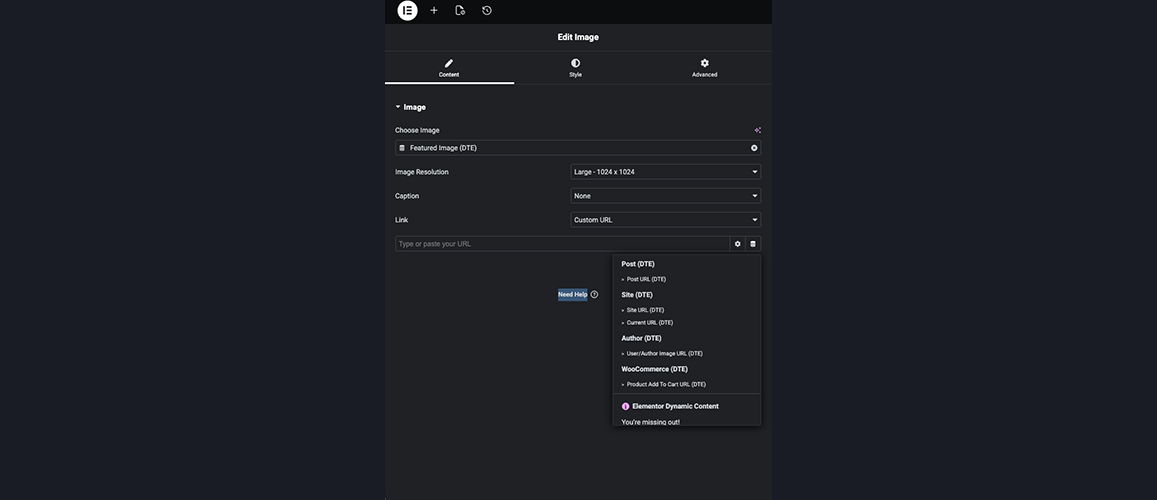
- Open Elementor editor click Dynamic Tags icon on any supported field choose a tag.
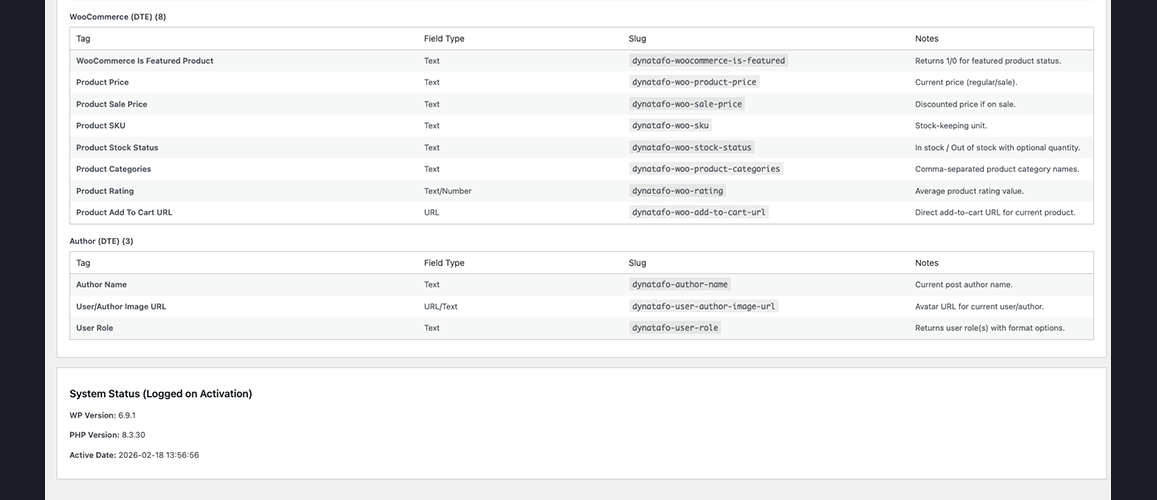
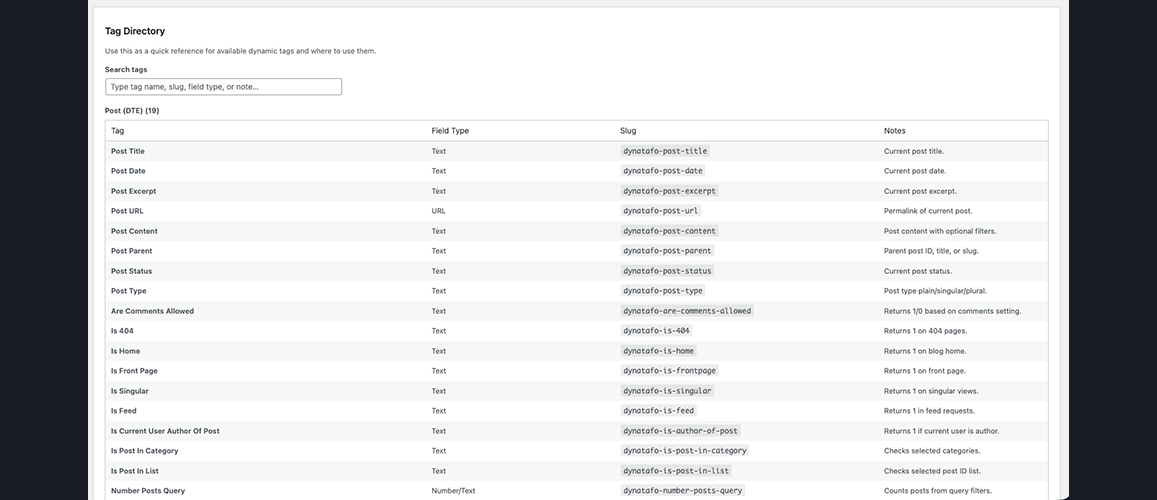
For quick tag discovery, go to WP Admin Dynamic Tags Tag Directory.
FAQ
-
Does this require Elementor Pro?
-
No. This plugin works exclusively with Elementor Free. All dynamic tags are designed for Elementor Free and do not require a Pro license.
-
No. DTE tags are registered in separate groups and coexist peacefully with Elementor Pro tags. If you later upgrade to Pro, both tag sets remain available.
-
Which custom fields and third-party plugins are supported?
-
DTE supports:
* WooCommerce (Product price, SKU, stock status, categories, ratings, add-to-cart URLs).
* EasyCommerce (28 Pro tags: Product title, SKU, price, stock, ratings, downloads, cart, store metrics).
* ACF (Advanced Custom Fields) (13 tags including repeaters, galleries, relationships, true/false, taxonomy terms, dates).
* SCF (Secure Custom Fields) (13 tags with feature parity to ACF).
* WPML & Polylang (Automatic language-aware URL filtering). -
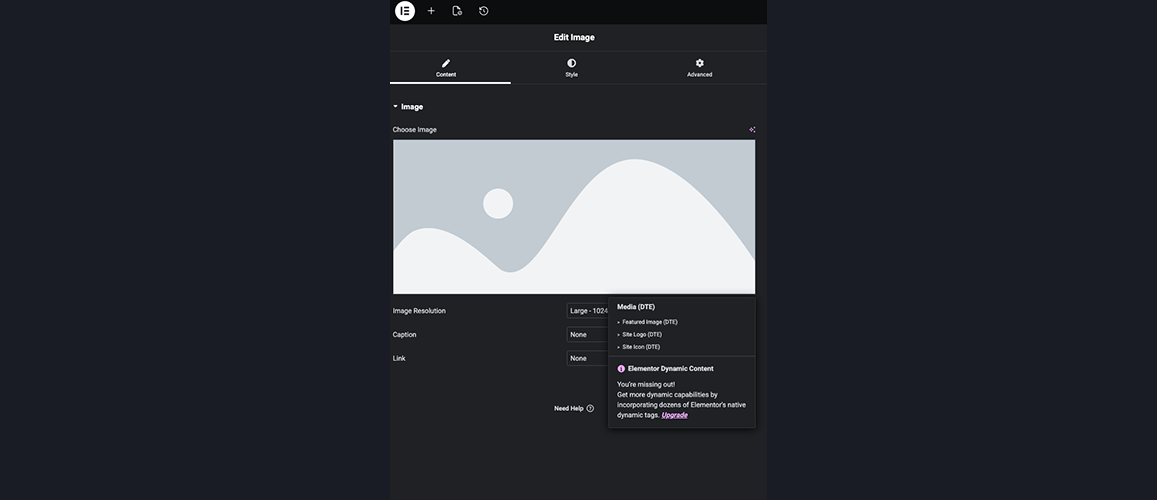
Most widgets with text, URL, or image fields support dynamic tags (indicated by the small Dynamic Tag icon next to the field).
-
How do I find a specific tag quickly?
-
Go to WP Admin Dynamic Tags Tag Directory to view a searchable list of all tags grouped by category with descriptions.
-
Yes. DTE provides filters and action hooks for third-party developers, including
dynatafo_dynamic_tag_groupsanddynatafo_register_dynamic_tags.
Reviews


Contributors & Developers
“Dynamic Tags for Elementor” is open source software. The following people have contributed to this plugin.
Contributors

Translate “Dynamic Tags for Elementor” into your language.
Interested in development?
Browse the code, check out the SVN repository, or subscribe to the development log by RSS.
Changelog
1.3.7
- Fixed: Resolved post loop query context issue where dynamic tags (e.g. ACF/SCF fields) returned data from the first post for all loop items.
- Compatibility: Verified compatibility with Elementor and Elementor Pro up to version 4.2.1.
- Compatibility: Adjusted Tested up to header format in readme.txt to align with WordPress.org standards.
1.3.6
- Feature: Added EasyCommerce Pro (DTE) category and 28 new dynamic tags to the Tag Directory documentation and registry.
1.3.5
- Performance: Added request-scoped caching for file_exists and is_readable checks to eliminate disk I/O overhead.
1.3.4
- Feature: Added selective cache invalidation hooks on post saves, post deletions, and term edits.
- Optimization: Added memory caching for tag directory parsed array to avoid repeated JSON decoding.
1.3.3
- Feature: Added dedicated DYNATAFO_Cache helper class.
- Feature: Added automatic cache key versioning to prevent desync on upgrades.
- Performance: Unified memory cache sharing across Free and Pro versions.
1.3.2
- Performance: Unified request-scoped runtime cache storage and resolved memory state desync issues.
- Feature: Added Manfi Expense Tracker to the “Other Plugins” directory.
- Feature: Corrected the dynamic tags pro plugin’s icon and product page links.
1.3.1
- UX Updated: Improved admin review notice layout and removed shown count statistics.
- Security Updated: Hardened and secured outputs within admin messages.
- Pro Updated: Added full compatibility and alignment for the new Taxonomy Pro suite.
1.3.0
- Fixed: Escaped output in the admin review notice for improved security.
- Fixed: Resolved PHP Coding Standards (WPCS/PHPCS) translation warnings by adding translators comments and reordering/formatting placeholders.