

Description
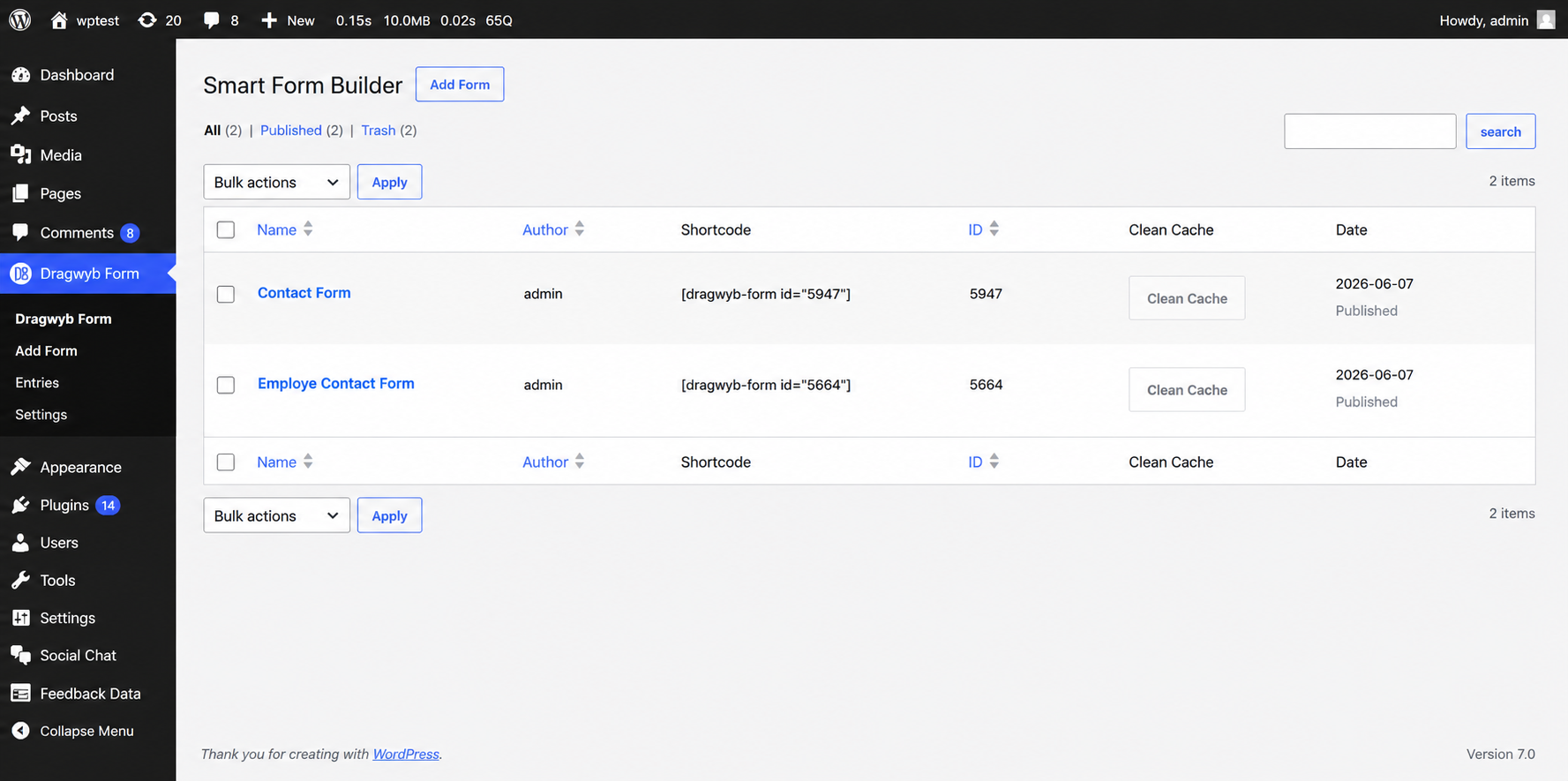
Looking for the fastest drag and drop form builder for WordPress? Smart Form Builder is a cutting-edge, React-powered custom form plugin engineered for blistering speed, zero-bloat database performance, and unparalleled styling customization.
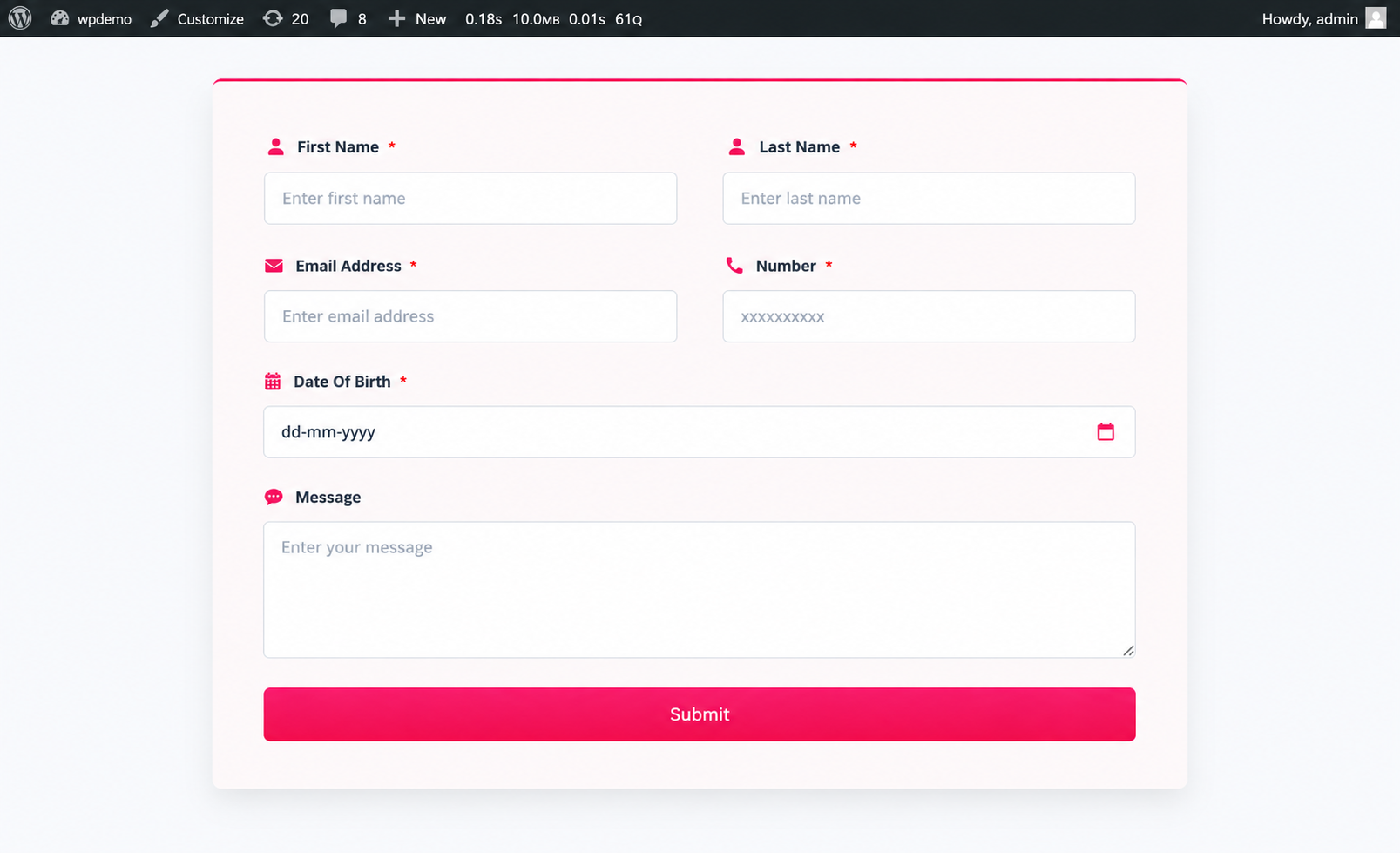
Whether you need to create a simple WordPress contact form, a high-converting lead generation form, a complex multi-step user survey, or an inquiry form for Elementor or Gutenberg layouts, building it is now effortless.
- Live Demo — Test the builder live!
⚡ Say Goodbye to Database Bloat
Legacy WordPress form plugins slow down your website by flooding the wp_postmeta table with separate database rows for every single field submission. Our plugin solves this with an optimized custom database table (dragwyb_submissions) using structured JSON payloads. This ensures your WordPress database remains lightning-fast, even with tens of thousands of entry submissions.
🎨 Fully Visual React Editor
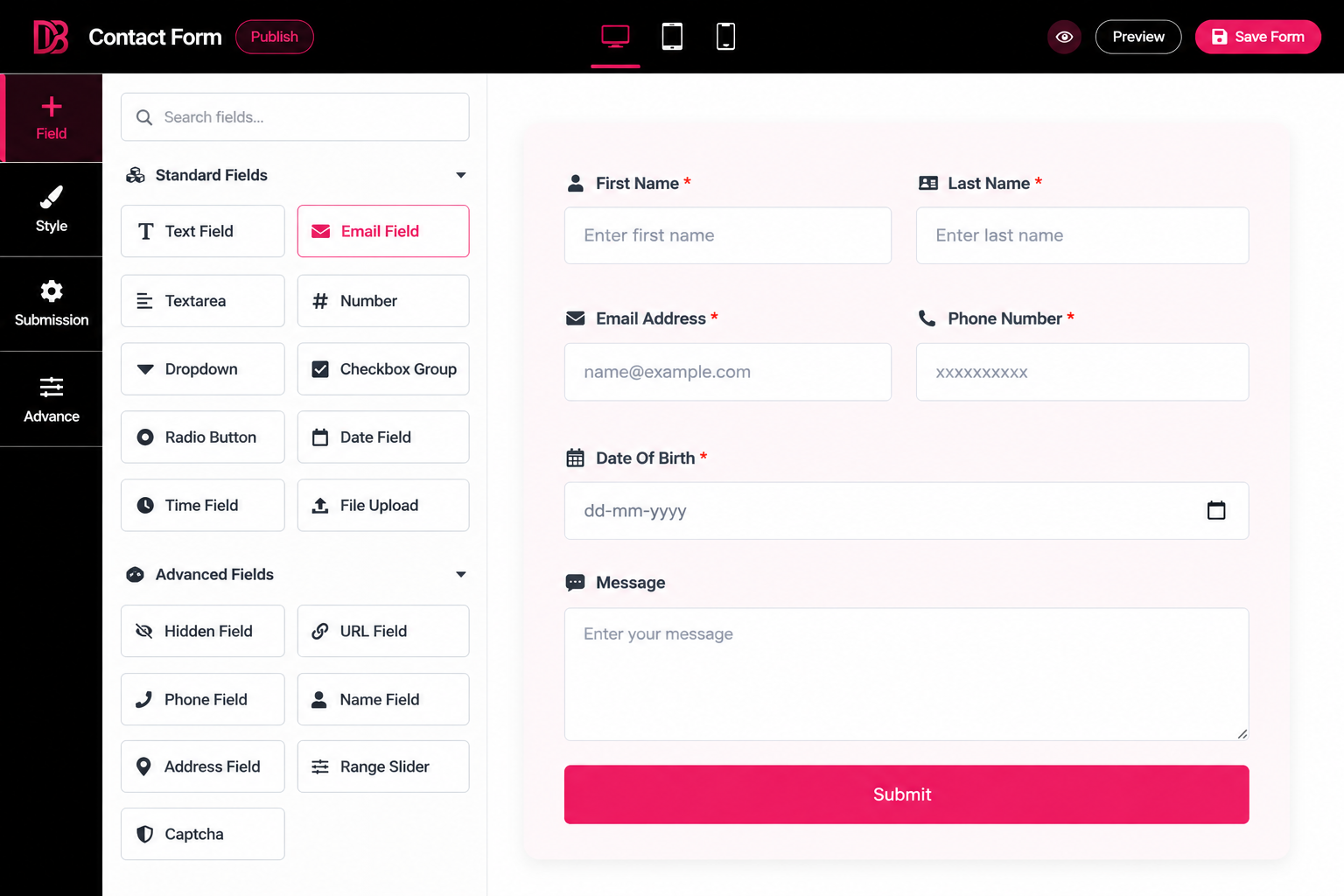
With an intuitive, lag-free drag-and-drop React interface, versatile dynamic form fields, deep visual styling controls, and seamless AJAX form submissions, this builder bridges the gap between developer flexibility and beginner-friendly ease of use.
🔗 Useful Links
- Click To Chat — Connect with your customers via WhatsApp.
- Flipbox Addon for Elementor — Stunning 3D flip boxes for your site.
🚀 Key Features & Benefits
- ⚡ React & Redux Drag-and-Drop Editor: Experience a snappy, fluid, and zero-lag visual form builder. Add, duplicate, delete, and reorder fields instantly with zero page reloads.
- 🕒 History, Undo & Redo: Made a mistake? No problem. Use the History Tab to revert changes, or use native keyboard shortcuts (Ctrl+Z & Ctrl+Y) for rapid Undo/Redo workflow.
- 📚 12 Pre-Built Templates: Skip the setup phase and launch immediately using our integrated Template Library containing 12 professionally designed form layouts.
- 🔀 Smart Conditional Logic: Show or hide specific fields dynamically based on user inputs, creating a personalized and clutter-free experience for your visitors.
- 📑 Multi-Step Forms: Break long, intimidating forms into bite-sized steps to boost conversion rates. Complete with visual step indicators and progress bars.
- 🗄️ Zero Database Bloat: Submissions are saved securely in a dedicated custom table (
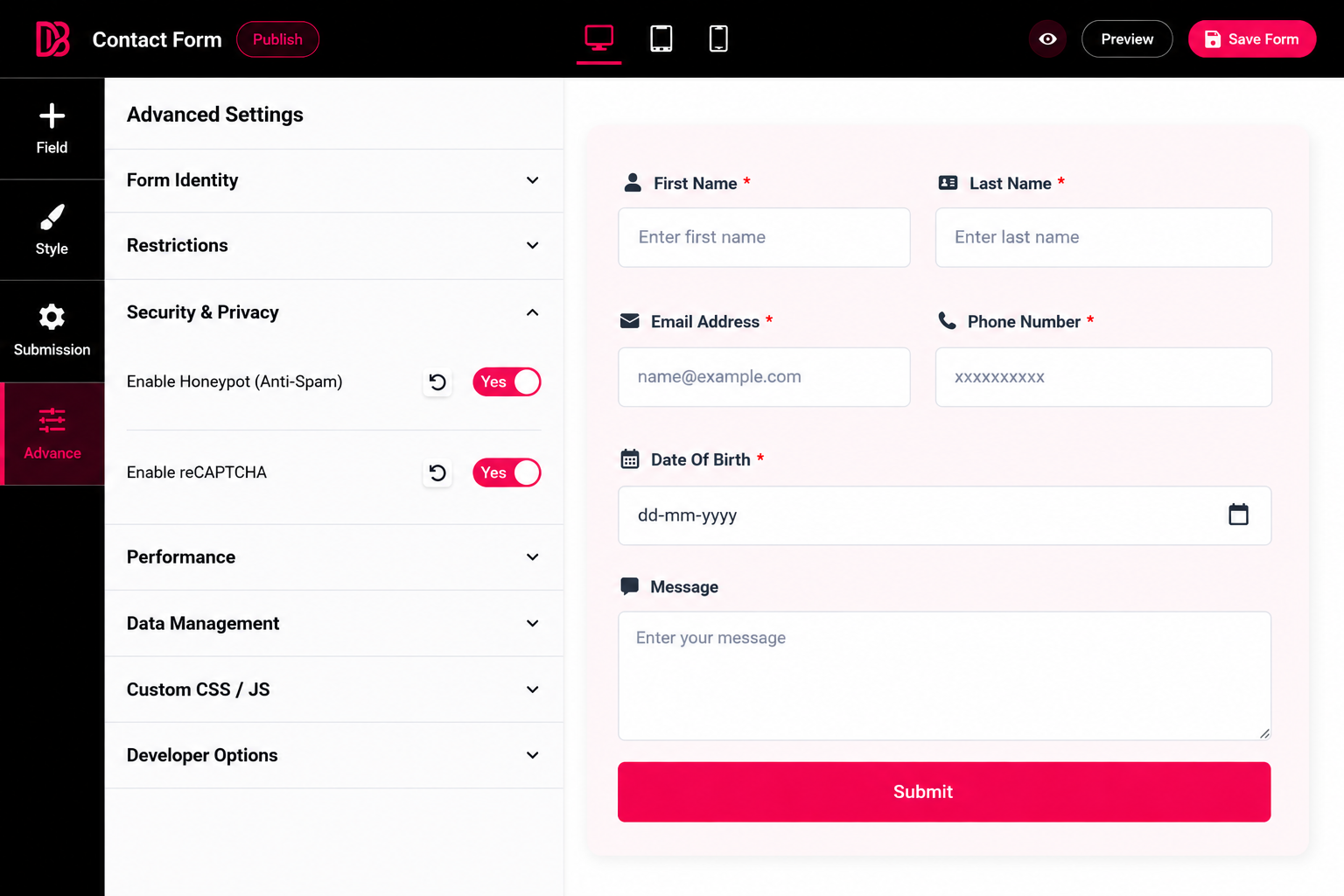
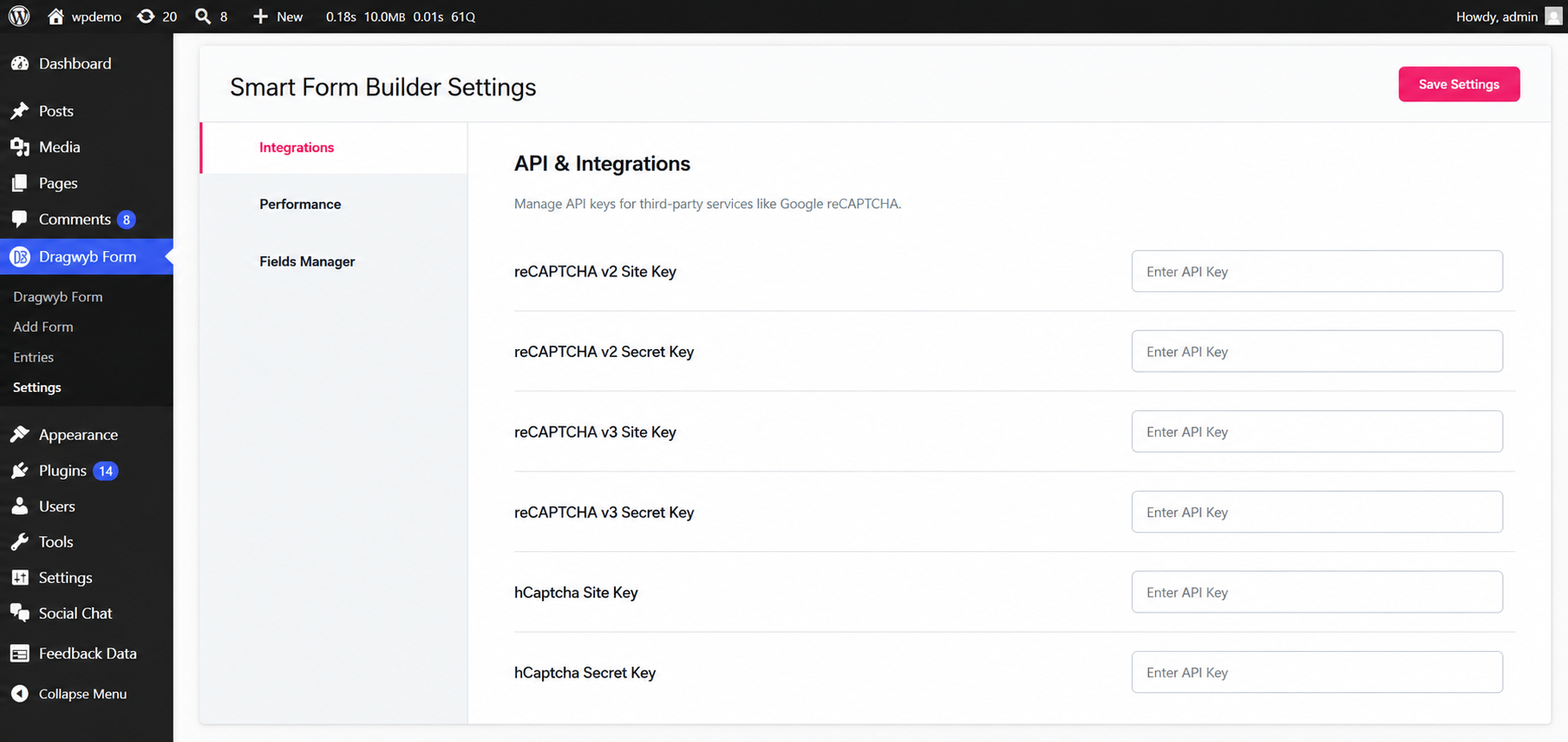
dragwyb_submissions). Say goodbye to sluggish slow-queries and database fragmentation! - 🛡️ Bulletproof Anti-Spam Protection: Keep spam completely out of your inbox with native integrations for Google reCAPTCHA v2, reCAPTCHA v3, hCaptcha, and an invisible built-in Honeypot form validation.
- 📱 Responsive Multi-Column Layouts: Design complex side-by-side grid layouts using the native “Row” structure system. 100% responsive across desktop, tablet, and mobile.
- 🚀 Clean AJAX & REST API Submissions: Forms submit seamlessly in the background without reloading the page, utilizing native HTML5 features and secure WP REST endpoint validation.
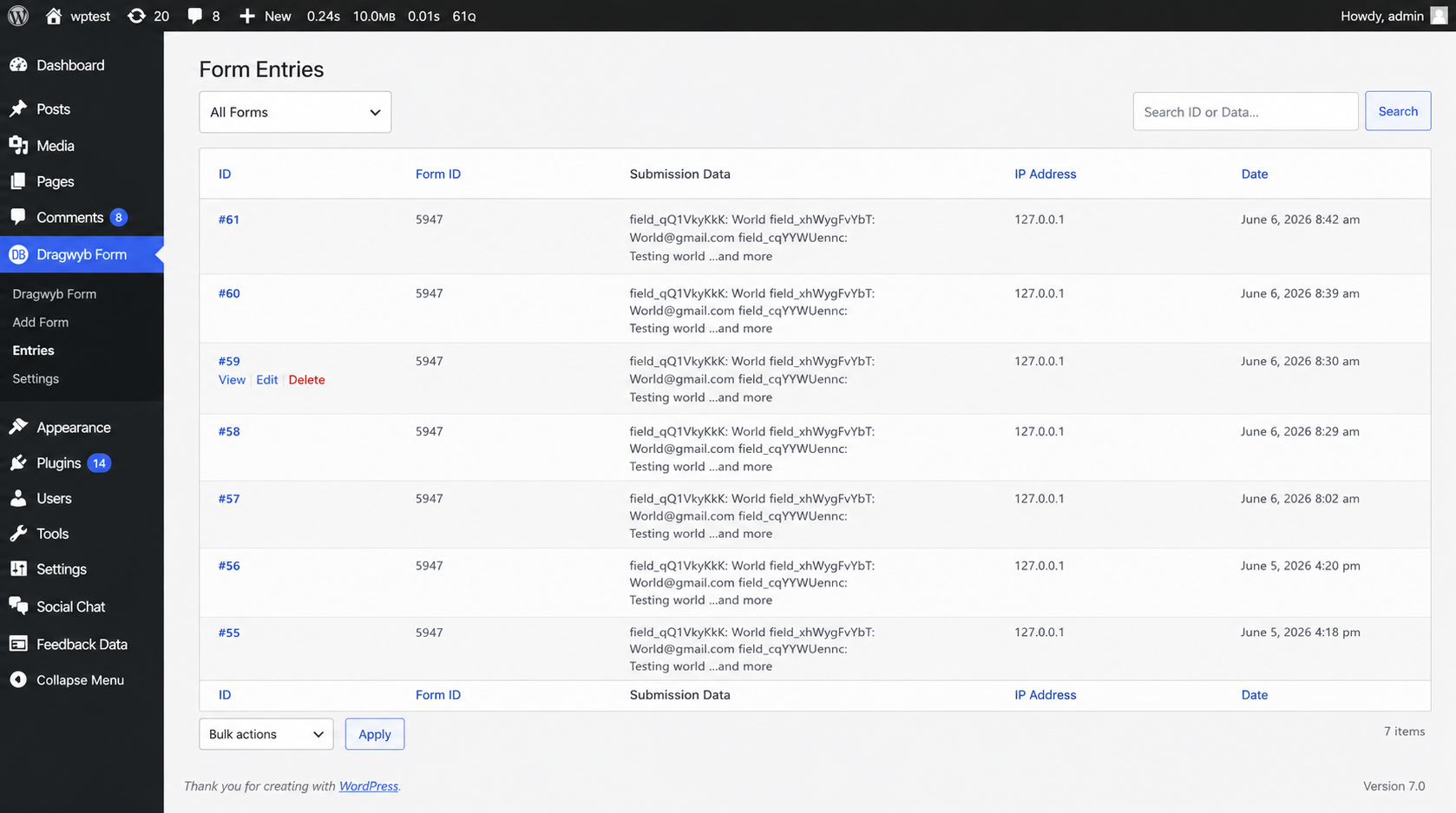
- 📊 Comprehensive Entries Dashboard: View, search, sort, filter, export, and manage user form submissions directly inside your WordPress admin area, complete with bulk delete actions.
⚙️ Advanced Form Settings & Controls
Granular control over every pixel, layout constraint, and server function:
1. Global Codeless Styling Engine
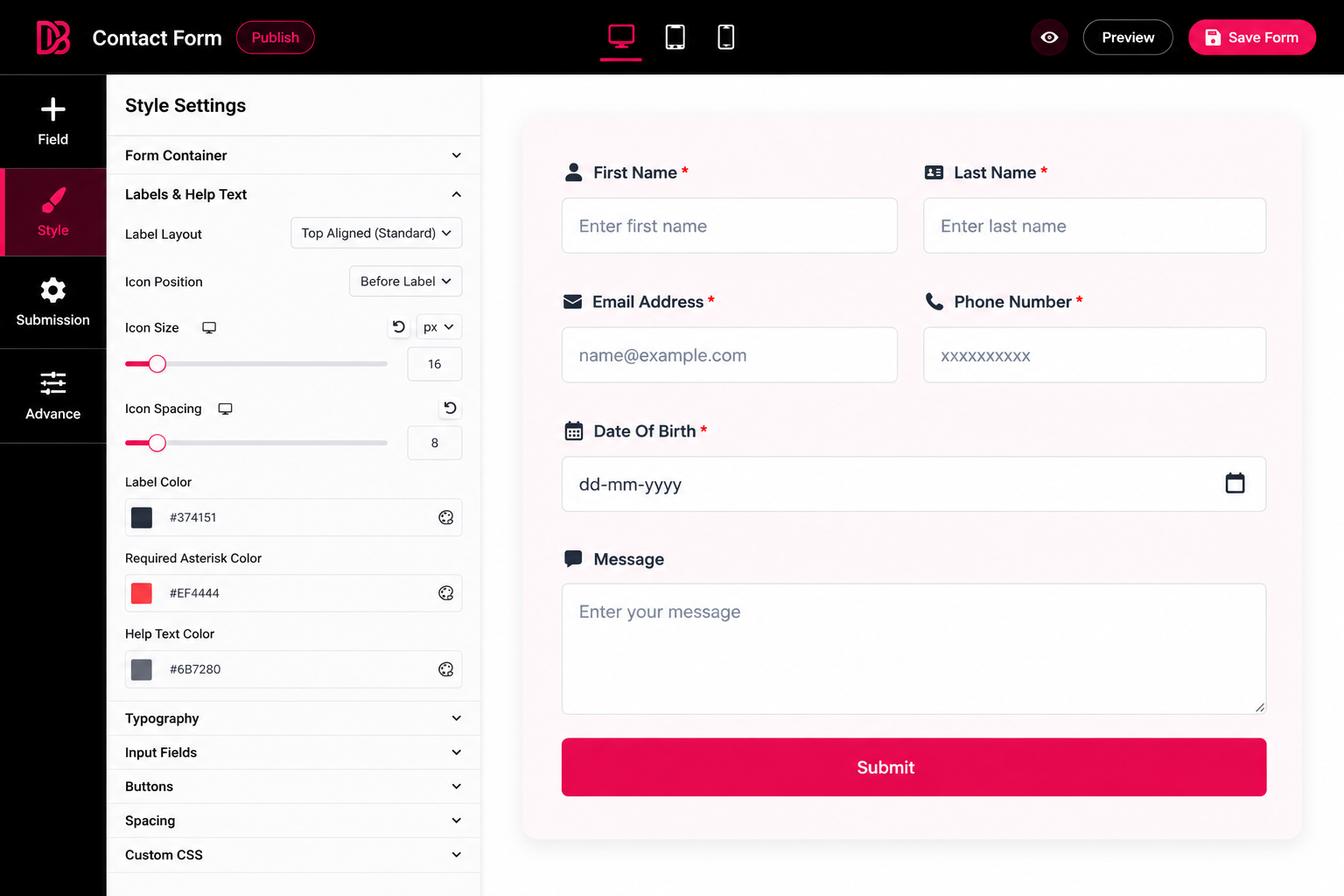
- 1-Click Preset Styles: Instantly transform your form with 8 stunning presets: Default, Modern/Outlined Label, Elegant/Inside Label, Classic/Underline, Bold Neon Glow, Dark Neon, Morphism Light, and Morphism Dark.
- Custom CSS & Variables: Need more power? Easily apply CSS variables and inject Custom CSS directly into color controls for dynamic styling.
- Form Container Styling: Customize canvas background colors, gradients, CSS filters, borders, padding, box shadows, and global alignments.
- Label & Input Aesthetics: Visually customize floating labels, typography, mandatory asterisks, background states, focus borders, and Google Fonts integration. Includes dedicated styling options for Radio Fields.
- Multi-Step & Button Styling: Tailor submit, previous, and next buttons with dynamic width parameters, hover states, and transitions.
2. Form-Level Intelligence
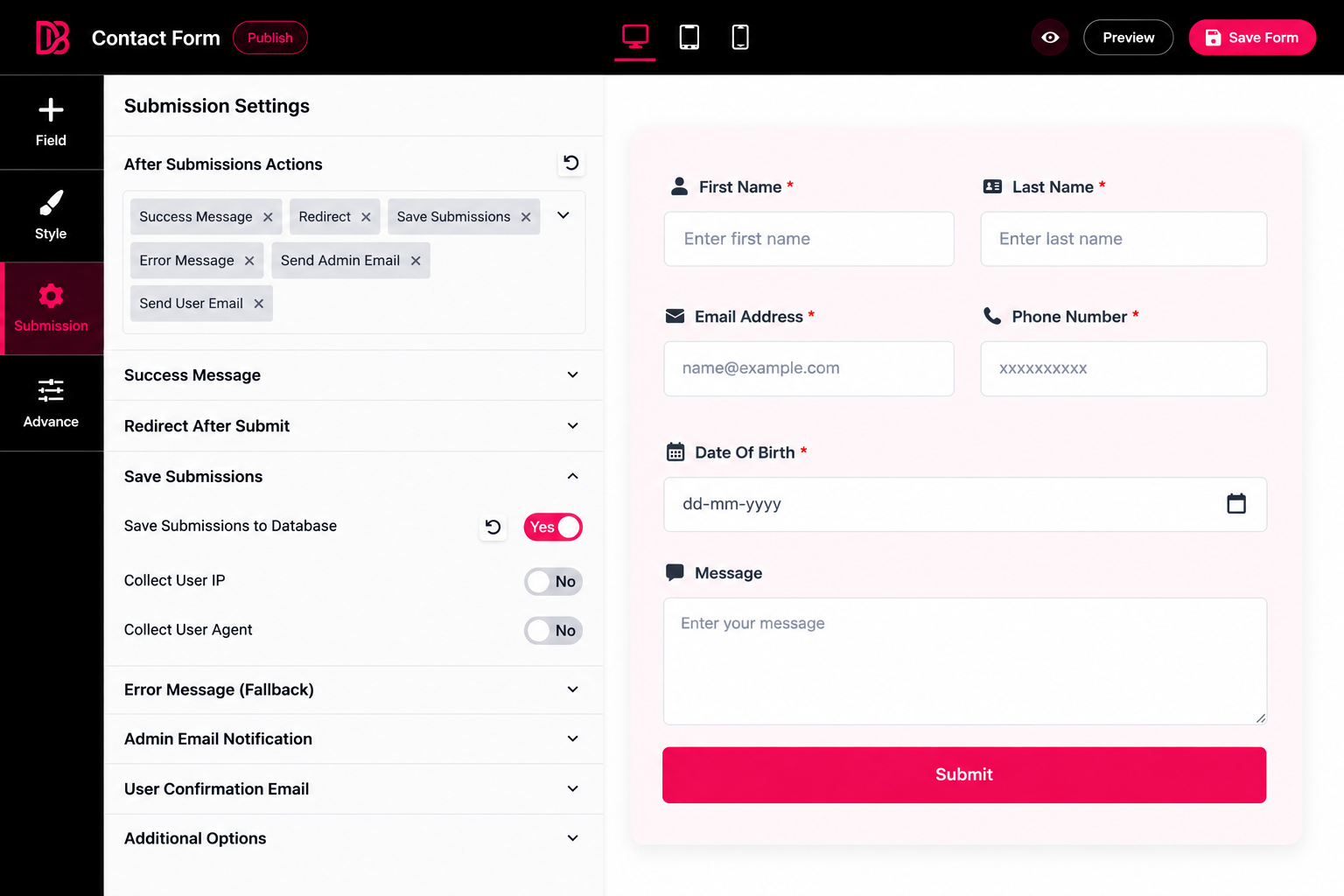
- After-Submission Actions: Set up instant URL redirects, send customized Admin/User emails, or trigger tailored success and error messages.
- Dynamic Tags & Shortcodes: Seamlessly map user-submitted data and dynamic tags directly into your controls, email subjects, and body notifications.
3. Versatile & Enhanced Form Fields
Build any custom form layout using a wide array of fields, highly optimized for user experience:
* Advanced Date & Time: Powered by Flatpickr for superior styling and precise date selection customization.
* Smart Phone Field: Integrated Country Code selection natively built-in.
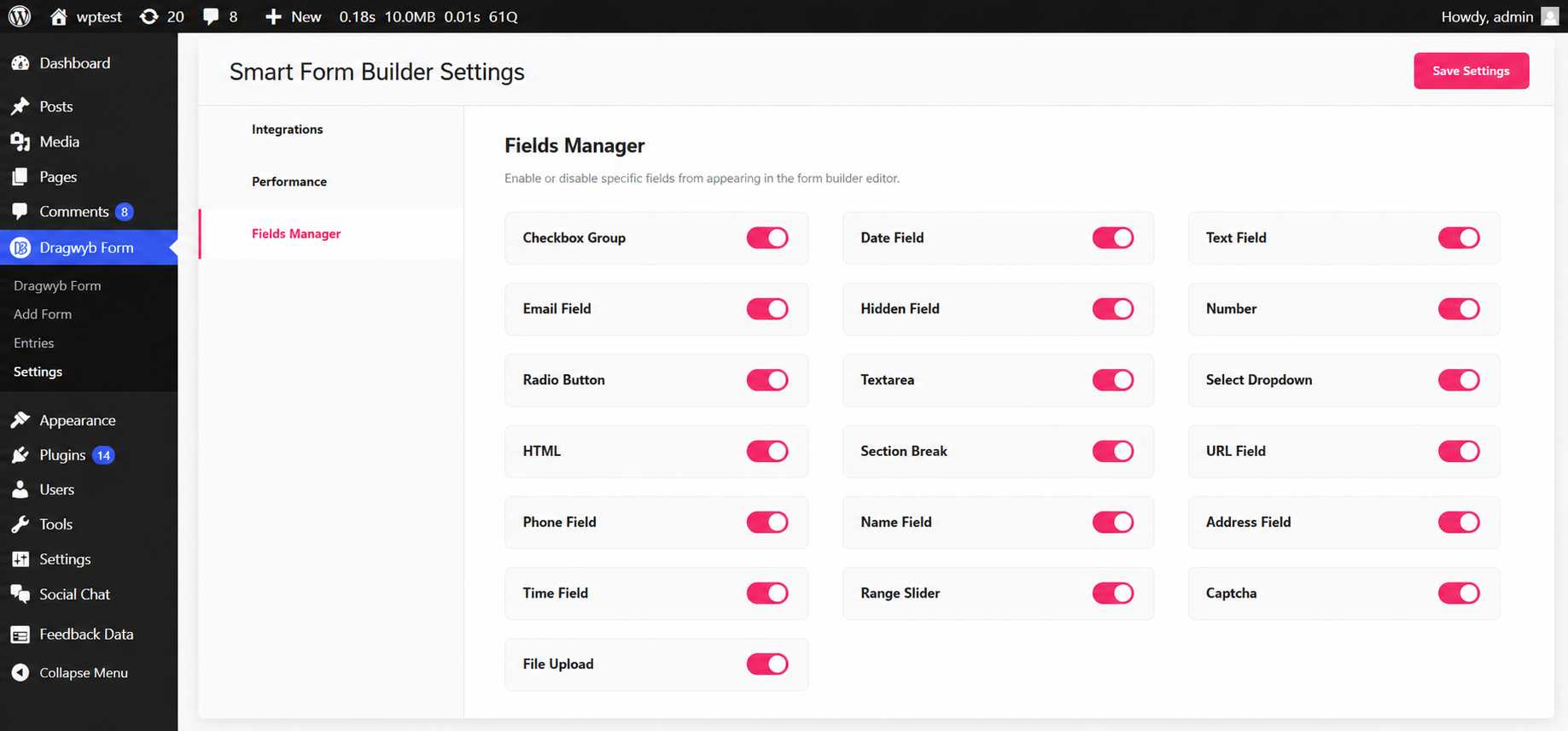
* Standard Fields: Text, Email, WYSIWYG Textarea, Number, Select Dropdown, Checkbox Group, Radio Button, URL, Name, Address, File Upload, Range Slider, Captcha, Hidden Fields, Custom HTML, Section Breaks, Layout Rows, Steps, and Buttons.
- Live Demo — Test the builder live!
External Services
This plugin utilizes the following libraries:
- Pickr: A high-performance color picker library. Used for design customization features.
- Source: https://github.com/Simonwep/pickr
- Local Paths:
assets/lib/pickr/css/index.css,assets/lib/pickr/js/index.js
- Flatpickr: Lightweight and powerful datetime picker.
- Font Awesome (Free): Used for providing iconography within the editor and frontend forms.
- Source/License: https://fontawesome.com/license/free
- Local Path:
assets/font-awesome/v5/all.min.css
Screenshots
Installation
Method 1: Via WordPress Admin
- Navigate to Plugins Add New within your dashboard.
- Search for
Smart Form Builder. - Click Install Now and then Activate.
Method 2: Manual Upload
- Download the plugin ZIP file from the directory.
- Go to Plugins Add New Upload Plugin.
- Choose the ZIP file, upload it, and click Activate.
FAQ
-
Is this WordPress contact form plugin free?
-
Yes! The core features of the builder are completely free, allowing you to create unlimited forms and collect unlimited form submissions.
-
Do I need to build forms from scratch every time?
-
Not at all. Version 1.2.0 introduces a Template Library featuring 12 pre-built form templates to jumpstart your workflow.
-
Does the builder support Undo/Redo?
-
Yes. Our React editor includes a full History Tab. You can instantly revert changes, redo them, or utilize standard keyboard shortcuts (Ctrl+Z & Ctrl+Y).
-
Can I create multi-step forms?
-
Yes. You can easily break down long forms into multiple steps using the Step field. You have full styling control over the progress bar, step indicators, and the Previous/Next navigation buttons to match your brand.
-
Does this plugin support conditional logic?
-
Absolutely. You can set conditional rules on your fields to dynamically show or hide them based on what the user selects or inputs in other fields.
-
Will this plugin slow down my PageSpeed scores?
-
No, quite the opposite. We strictly focus on performance optimization. By generating per-form cached CSS files, offering global script management toggles, and handling background execution via the WP REST API, your pages stay light.
-
How does it protect against database clutter?
-
Unlike standard form plugins that generate dozens of metadata rows in
wp_postmetafor a single entry, we use a single line entry containing optimized JSON strings inside a dedicated SQL table. Your queries stay lightning-fast. -
Can I export my form entries?
-
Yes. From the plugin’s Entries dashboard, you can easily export your form submissions and error logs for external analysis, as well as utilize bulk delete actions to manage your data.
-
Where are the form submissions stored?
-
If the “Save Submissions” action is enabled on your form, all data points are saved securely on your local server within a custom database table.
Reviews
There are no reviews for this plugin.
Contributors & Developers
“Smart Form Builder” is open source software. The following people have contributed to this plugin.
Contributors
Translate “Smart Form Builder” into your language.
Interested in development?
Browse the code, check out the SVN repository, or subscribe to the development log by RSS.
Changelog
1.2.1
- Tweak: Update plugin URL in plugin header.
1.2.0
- Added: History Tab with revert changes, redo, and undo settings (supports Ctrl+Z & Ctrl+Y shortcuts).
- Added: Template library with 12 pre-built form templates.
- Added: Preset Style settings in the Style toolbar with 8 visual options (Default, Modern/Outlined Label, Elegant/Inside Label, Classic/Underline, Bold Neon Glow, Dark Neon, Morphism Light, Morphism Dark).
- Added: Country code feature & option in the phone field.
- Added: Flatpickr integration in the Date & Time field for improved styling and customization.
- Added: CSS variable & Custom CSS options in the color control to load dynamic styles.
- Added: Radio field style options directly within field settings.
- Added: Radio Field Style settings globally in the toolbar style section.
- Added: Default value option in select, radio and checkbox field.
- Added: Background color setting in html field.
- Fixed: HTML field rendering issues by migrating the textarea control to a WYSIWYG control.
- Fixed: Step & Html field style issue with label left style.
- Fixed: White space issue with conditional hidden field.
- Fixed: Resolved minor PHP warnings and errors.
- Fixed: Trash and draft form display issue now only display publish forms.
- Tweak: Form status is now set to publish on initial load.
- Tweak: Improved the editor’s top header layout and UI.
1.1.1
- Added: Entry and error logs export feature.
- Added: Bulk delete action button in entries and error logs.
- Added: Form editor quick-access button directly in the form preview admin bar.
- Tweak: Improved step field preview accuracy in the visual editor.
1.1.0
- Added: Conditional logic field settings.
- Added: Dynamic tags option natively in controls.
- Added: Step field element for multi-step forms.
- Added: Granular style settings for step indicators.
- Added: Progress bar styling controls.
- Added: Button style settings specifically for previous and next buttons.
- Tweak: Optimized frontend asset loading.
- Tweak: Improved dropdown control styling and layout.
1.0.6
- Fixed: Form Editor styling issue where dashboard menus were overlapping/showing incorrectly.
- Fixed: Feedback notice functionality not firing correctly.
1.0.5
- Added: Expanded compatibility for older PHP versions.
- Fixed: Form editor preview issue where Captcha field HTML was rendering incorrectly.
- Tweak: Improved plugin short description for clarity.
- Tweak: Updated form menu label for better UX.
1.0.4
- Public release.
1.0.3
- Updated distribution files to production optimized builds.
- Documented external asset libraries in readme.txt.
- Appended source code repositories to the codebase notes.
1.0.2
- Hardened internal sanitization, validation, and security check processes.
1.0.1
- Refactored internal plugin naming conventions and plugin slug.
1.0.0
- Initial core release.